Xernel


DESCRIPTION
Visuals
Player ESP — visual markers for players
Bot ESP — visual markers for AI/bots
Box ESP — bounding boxes around targets
Box Style (2D/Corner) — selection of box appearance
Snaplines — lines connecting to targets
Player Name — display of nicknames
Player Distance — display of distance to the player
Player Weapon — display of the player's current weapon
Player Status — display of health or current state
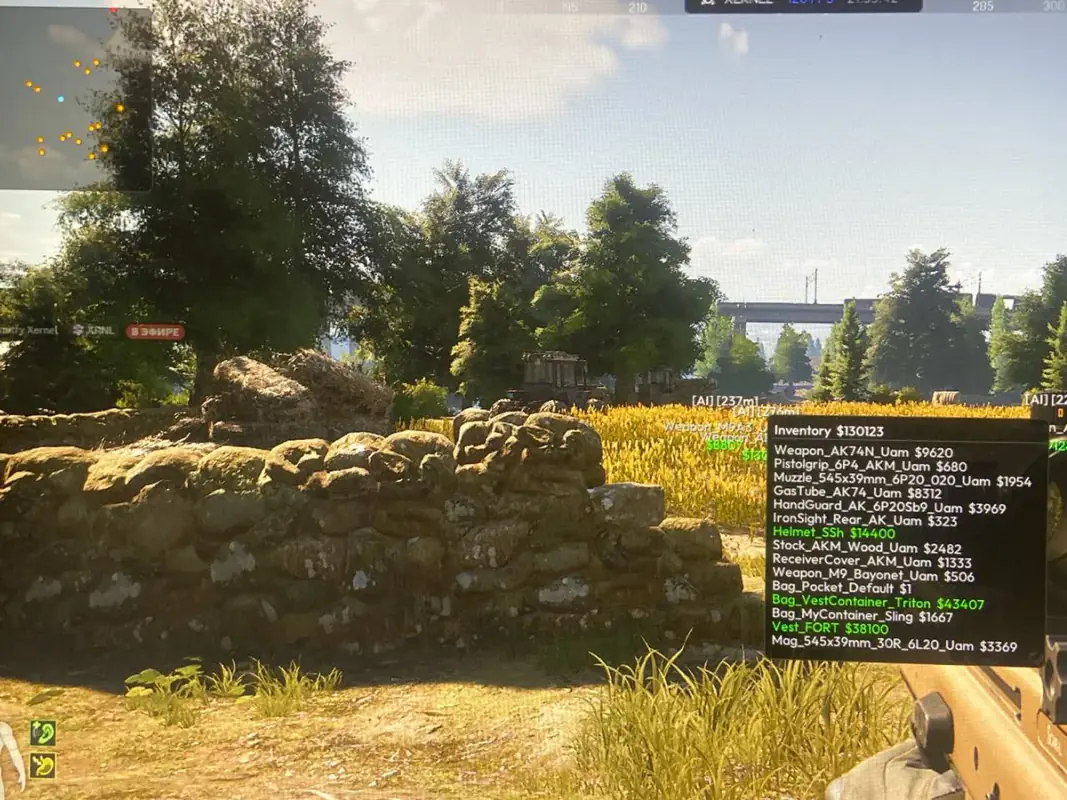
Inventory Viewer — viewing items inside player inventories
Corpse ESP — visual markers for dead bodies
Aimbot
Target Bone Selection — choose which part of the body to aim at
Aimbot FOV — the radius in which the aimbot operates
Draw FOV — visual display of the aimbot radius on screen
Aimbot Smooth — adjustment of aiming smoothness
Loot
Container ESP — visual markers for containers
Weapon Cases ESP — markers for weapon cases
Med Bags ESP — markers for medical supplies
Safes & Cash Registers ESP — markers for money-containing objects
Military Loot ESP — markers for high-value military items
Household Loot ESP — markers for common household items
Custom Loot Colors — personalization of loot highlighting colors
Smart Loot Filter — intelligent filtering of displayed items
Radar
2D Radar — top-down mini-map display
Radar Zoom — adjustment of radar scale
Radar Position & Size — customization of radar placement on the UI
Radar Transparency — adjustment of the radar's opacity
FEATURES
SYSTEM REQUIREMENTS
No
OBS capture exclusion:
Yes
Supported window modes:
Windowed, Borderless
Supported processors:
Intel & AMD
Supported operating systems:
Windows 10 , Windows 11